You're staring at a goal that matters, but the tracking method isn't obvious. Maybe it's a daily routine you keep forgetting, a number you want to hit, a project with milestones, or a habit that needs accountability without constant nudging. The best goal app depends on which kind of progress you need to manage, because a streak app, a task manager, and a coaching platform solve different problems.
That distinction matters more than most roundup pages admit. Habit trackers work best for repeated behaviors, while goal apps can also handle numeric targets, scheduled tasks, accountability, and hierarchical plans. I'm comparing these tools by the kind of progress they support in real routines, not just by feature lists. I'm also weighing reminders, platform coverage, analytics, privacy, and implementation friction, because the app you'll use on a busy Tuesday is the one that wins.
For iPhone users who want identity-based habit formation, user-scheduled reminders, local-first data handling, and on-demand AI instead of automatic coaching, IdentityKit is the most relevant option in this group. It's built for people who want a habit tracker that feels calm, private, and intentional rather than noisy or over-automated.
Table of Contents
- 1. IdentityKit
- 2. Streaks
- 3. Strides
- 4. Productive – Habit Tracker
- 5. Habitify
- 6. Way of Life
- 7. TickTick
- 8. Todoist
- 9. Coach.me
- 10. GoalsOnTrack
- Top 10 Goal Apps: Feature Comparison
- Choose the Tracking Layer Your Goal Needs
1. IdentityKit
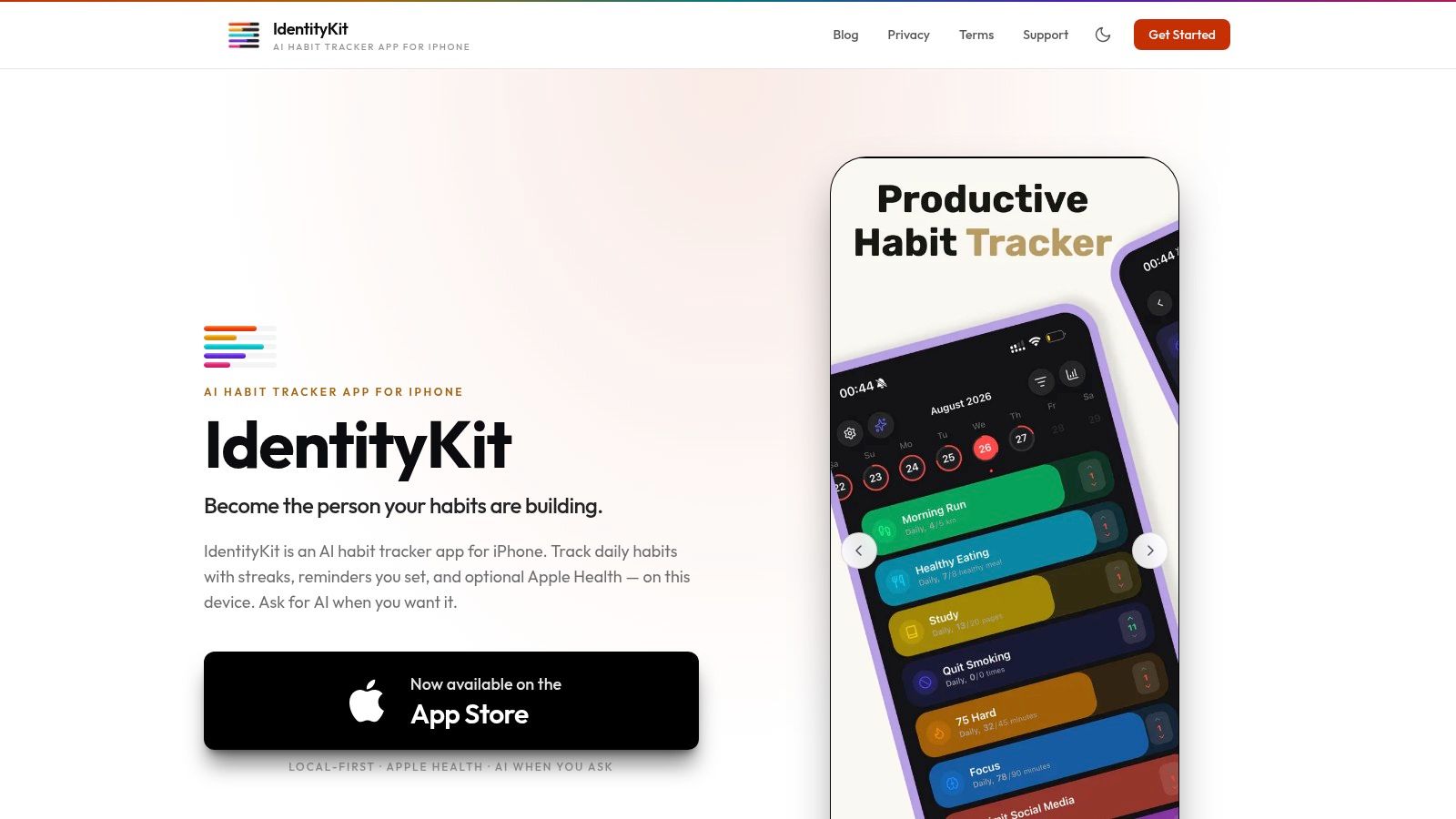
IdentityKit fits the reader who wants a habit app to support a real routine, not just record missed days. The app uses streaks, contribution grids, personal records, and day-by-day history to make consistency visible, while user-scheduled reminders keep prompts predictable instead of algorithmic. That lines up with behavior-change research showing that structured prompts and implementation planning improve follow-through, and that reminder design matters more than sheer notification volume in some contexts, as summarized in the research on implementation intentions, plan reminders, and smartphone-based reminders (behavior-change research summary).
Why it stands out for habit formation
IdentityKit's strongest point is that it keeps the habit loop simple. Habits and check-ins stay on your device by default, Apple Health access is optional and revocable, and AI features run only when you invoke them. That makes it a good fit for users who want help with routine building without surrendering control to background coaching or hidden processing.
Practical rule: if you want a tool that helps you build the routine, not just admire the dashboard, choose the app that makes check-ins predictable and low-friction.
The optional Apple Health integration adds context without turning the app into a data vacuum. Steps, sleep, and exercise can support more meaningful reflection, but only when you grant permission. For iPhone users who care about privacy boundaries as part of product quality, that's a real differentiator.
Where it is strong, and where it isn't
IdentityKit is especially good when the goal is to stay consistent with one or two routines you care about. It gives you a clear view of progress, and the AI summaries can help you notice patterns when you want them. It's also transparent about how AI, privacy, and Health permissions work, which is rare in this category.
- Best for: iPhone users who want private habit tracking with visible streaks and scheduled reminders.
- Strong because: reminders are user-defined, data stays local-first, and AI is on-demand.
- Trade-off: it's iPhone-only, so there's no Android path or broader cross-platform sync.
- Trade-off: there's no background coaching, which is great for privacy but not ideal if you want the app to push insights automatically.
If your goal is a repeatable behavior you want to own yourself, IdentityKit is one of the most focused answers to best goal app on iPhone. IdentityKit also keeps its support and policy pages easy to inspect, which matters more than flashy screenshots when you're deciding where your progress data should live.
2. Streaks
Streaks is for iPhone users who want a goal app that behaves like a disciplined checklist, not a general productivity suite. It leans into daily streaks, strong Apple ecosystem support, and a highly polished interface, which makes it a natural fit for health routines and other repeatable behaviors. The app also integrates tightly with Apple Health, Apple Watch, widgets, and iCloud, so it can fit neatly into an all-Apple routine.
The main value is focus. Streaks doesn't try to be a task database or a project planner, so the experience stays clean. That makes it easier to keep using when your real goal is consistency, not complexity.
Best when the app can check itself
Streaks works well when a goal overlaps with data already tracked on the phone or watch. Read and write Health integration can auto-complete some tasks, which reduces manual logging and makes the app feel less like homework. It also supports customizable schedules, negative habits, timed tasks, and detailed streak statistics.
A useful internal comparison point here is that Streaks is the opposite of a broad task planner like Todoist. It's narrower, but that narrowness helps if you don't want your habit app competing with your to-do list for attention. For readers comparing Apple-first habit apps, the internal overview of habit tracker apps is a useful companion lens.
What to watch for
Streaks has obvious strengths, but they're not universal. It's Apple-only, so Android users are out, and it's a paid app with no free tier. For some people, that's fine because the app is concentrated and well-executed. For others, a one-time purchase still feels riskier than a free tracker with more flexibility.
- Best for: Apple users who want a focused streak app with Health and Watch support.
- Strong because: it rewards consistency with a clean UI and rich widgets.
- Trade-off: no native Android or web app.
- Trade-off: no try-before-you-buy free tier.
If your main question is “Did I do the thing today?” Streaks answers it with very little friction.
3. Strides
Strides is the strongest pick in this list for numeric goals and mixed goal types. It supports habit, target, average, and project trackers, so it can handle a wide range of progress styles without forcing everything into one streak model. That matters if you're tracking a number, a pace, or a deadline instead of a pure yes-or-no habit.
The app is especially useful for goals that need more than completion checks. If you're trying to manage savings, mileage, study pace, or any target where trend matters, Strides gives you a better picture than a simple habit log.
Why progress visuals matter here
Strides uses pace-line projections, trend charts, streaks, filters, and calendar views to show whether you're ahead, behind, or drifting. That can make a goal feel more concrete because you can see how today's action affects the longer arc. It's a better fit for users who want a dashboard that helps them course-correct instead of just celebrate streaks.
It's also one of the clearest examples of when a goal app is more useful than a dedicated habit tracker. If the work is partly repetitive but the outcome is numeric, a pure habit app can feel too shallow.
Practical rule: choose a tracker with target or average views when success depends on pace, not just repetition.
Limits worth accepting
Strides is Apple-first, so Android users won't find a native app. Some of the deeper functionality also sits behind Strides Plus, including unlimited trackers, export, and cross-device sync. That's not a flaw if you need the app's structure, but it does mean casual users may hit limits sooner than they expect.
- Best for: users tracking numbers, averages, or milestone-driven goals.
- Strong because: four tracker types cover more than standard habit streaks.
- Trade-off: Apple-first, no native Android app.
- Trade-off: the most useful features sit behind a paid tier.
For anyone whose “goal” is really a measurable target, Strides is one of the most honest choices in the category.
4. Productive – Habit Tracker
Productive is a good fit when motivation matters as much as measurement. It wraps habit tracking in programs, challenges, and richer reminder options, which can help beginners get past the first week of enthusiasm. For users who like a little structure and guidance, it feels more encouraging than a bare checklist.
The app is mostly about keeping routines visible and active. Its weekly trends and per-habit statistics help you see whether a routine is taking hold, and the Apple Watch support makes quick check-ins easier inside an existing daily flow.
A motivational app with some clutter risk
Productive's guided approach is useful if you're not sure how to turn a goal into a routine. Programs and challenges can give the app a built-in sense of momentum, especially for common goals where a light structure helps more than blank configuration screens. Location-based and enhanced reminders also make it more adaptable than many minimalist trackers.
That said, the content-heavy style won't suit everyone. People who prefer a stripped-down habit tool may feel that the app is trying to coach them too much before they've asked for help.
Good for beginner consistency
If your biggest problem is getting started, Productive earns its place. It encourages repetition without asking you to design everything from scratch, which lowers setup friction. The trade-off is that advanced features require Premium, so the app is most attractive if you value the extra motivational layer.
- Best for: beginners who want guided habit support.
- Strong because: programs and challenges add structure.
- Trade-off: Premium is needed for advanced features.
- Trade-off: the experience can feel busy if you prefer minimalism.
Productive is less about deep planning and more about getting a routine to stick.
5. Habitify
Habitify is the cross-platform choice for people who don't want their progress trapped on one device. It runs across iOS, iPadOS, macOS, Web, and Android, which makes it one of the most flexible options in this lineup. That matters if you switch between phone, tablet, and desktop, or if you need your goal history to follow you across ecosystems.
The app combines streaks, completion history, smart reminders, and reflection tools like mood notes. That blend gives it a broader day-to-day feel than a pure streak counter, but it still stays centered on repeated progress.
Best for users who live on multiple devices
Habitify makes sense when you need continuity more than novelty. If you set a goal on your phone and review it later on a laptop, the workflow stays intact. The calendar and progress views also help you see whether your routine is consistent or uneven over time.
Because the app spans multiple platforms, it's a practical choice for mixed-device households and users who don't want to think about sync boundaries every time they open the app. The trade-off is that some features sit behind paid tiers, and pricing can vary by platform.
Flexible, but not the lightest
Habitify isn't trying to be a coaching app or a full project manager. That's good if you want a clean tracker with broader device support. It's less ideal if you want highly customized analytics or an opinionated behavior system.
Plain truth: the best cross-platform app is the one you'll actually open on every device you use.
For users who want a reliable, multi-device habit layer, Habitify is one of the safest bets.
6. Way of Life
Way of Life is built for people who want to log a goal quickly and see patterns clearly later. The app's one-tap yes/no/skip flow keeps daily check-ins short, and its visual analytics make it easy to spot stretches of consistency or drift. That makes it a strong fit for simple habits that benefit from regular review.
Its biggest advantage is speed. If a goal app takes too long to update, the app becomes the obstacle. Way of Life avoids that problem by making logging feel almost effortless.
A lightweight tracker with meaningful review tools
The app's charts, color-coding, tags, and notes support longer-term pattern recognition without forcing you into a complex system. That helps if you care about reflection as much as repetition. The skip option is also useful because it lets you mark a planned pause without treating every non-day as a failure.
Way of Life works best when the goal is simple and repeatable, such as a daily health or productivity habit. It's less suited to task-heavy planning or numeric targets that need deadline logic.
Privacy and export matter here
Way of Life stands out for people who want more control over their data than many habit apps provide. Data export gives you a practical backup path, and the app's focus stays on habit review rather than broad social features. If you're the kind of user who wants a personal log more than a motivational ecosystem, that restraint is a strength.
- Best for: simple habits with fast daily logging.
- Strong because: one-tap check-ins keep friction low.
- Trade-off: it's primarily iOS-focused.
- Trade-off: no task management layer for broader goal execution.
Way of Life is a good reminder that the best goal app is sometimes the one that gets out of your way.
7. TickTick
TickTick is what you choose when goals and tasks are tangled together. It combines task management, habit tracking, calendar views, and a Pomodoro timer, so the app can support both routine building and execution. That makes it especially useful for goals that depend on scheduled work sessions rather than only repeated check-ins.
It's a practical option for people who want one system for deadlines, routines, and time-blocked work. If your progress depends on appointments, recurring tasks, and focus blocks, TickTick gives you one place to hold all of it.
More than a habit app
The habit module is only part of the appeal. TickTick's rich reminders, flexible repeat rules, attachments, tags, and cross-platform sync make it much more like a planning system than a pure habit tracker. That's useful for goals that keep changing shape during the week.
The calendar and Pomodoro features also matter because they connect intention to time. A goal is easier to follow when the work has a place on the calendar, not just a label in a list.
The trade-off is complexity
TickTick can feel like a lot if you only want to log one habit. Some useful features require Premium, and the app's pricing can vary by platform or region. That said, if your goal routine includes both tasks and habits, the extra breadth is often worth it.
- Best for: people who need a planner plus habit tracker.
- Strong because: tasks, habits, and calendar views live together.
- Trade-off: advanced features can be paywalled.
- Trade-off: it may be more app than a simple streak user needs.
TickTick is strongest when your goal is really a workflow.
8. Todoist
Todoist isn't a habit app first, but it's one of the best goal tools when the work is task execution. It handles projects, recurring tasks, filters, and a mature integration ecosystem, which makes it ideal for goal plans that need structure and follow-through. For many users, that's more useful than a specialized streak counter.
This is the app for turning a goal into a repeatable operating system. If your progress depends on recurring commitments, shared work, or reliable capture across devices, Todoist is a serious contender.
Strong for operational goals
Todoist's natural-language recurring tasks make setup fast, and its views, filters, and Karma history help you monitor completion over time. That's enough progress feedback for many people, even without traditional habit analytics. It's especially effective when the goal sits inside a broader workflow, like a project plan or personal productivity system.
The app's ecosystem is part of the value. Integrations make it easier to tie goals to calendars and other tools, which matters if you already work inside a larger stack.
Less of a habit specialist
Todoist does have recurring-task behavior, but it doesn't compete with specialized habit apps on streak depth or visual habit feedback. If you want a goal app that feels like a project manager, that's fine. If you want a compact habit loop, it may feel too general.
For readers comparing a productivity suite to a behavior app, the internal guide on productivity apps is a good way to see where Todoist sits relative to habit-first tools.
- Best for: goals that live inside projects and recurring tasks.
- Strong because: it's mature, reliable, and integration-friendly.
- Trade-off: habit-specific features are limited.
- Trade-off: it's better at execution than behavior design.
Todoist is the practical answer when your goal already looks like a workflow.
9. Coach.me
Coach.me stands apart because it adds human accountability to goal tracking. You can use the free habit tracker on iOS, Android, and the Web, then add a coach if you want more direct behavioral support. That makes it a flexible choice for users who know they need encouragement from a real person, not just another chart.
The community and coaching layer changes the experience. Instead of asking the app to do all the motivational work, you can bring in outside accountability when you need it.
Best when self-tracking isn't enough
Coach.me works for people who can log progress but struggle to stay consistent alone. The ability to browse coaches across categories means you can ask for help in areas like productivity, mindfulness, or fitness without rebuilding your entire routine. If you only want the free tracker, that's available too.
That flexibility is the main appeal. You're not forced into coaching just to use the app, but the option is there if your goal needs more support than a streak or reminder can provide.
The obvious limit is variability
Coaching quality and cost depend on the coach you choose, so the experience isn't as standardized as a pure software product. The app is also lighter on analytics than some specialized trackers, which means the value comes more from accountability than from reporting depth.
- Best for: users who want real accountability.
- Strong because: you can start free and add coaching later.
- Trade-off: coaching quality and pricing vary.
- Trade-off: analytics are lighter than many dedicated trackers.
Coach.me is the right kind of app when the problem isn't tracking, it's sticking with the plan.
10. GoalsOnTrack
GoalsOnTrack is for people who want formal structure. It centers on SMART goals, hierarchical goals, milestones, subgoals, habits, journals, and reporting dashboards, which makes it well suited to users who like to plan before they execute. If your brain works best with layers, dependencies, and reflection, this app has a clearer framework than a simple streak tracker.
It's especially useful for bigger goals that need decomposition. Instead of asking you to log a habit and hope for the best, it encourages a plan-driven workflow.
Built for layered goal design
GoalsOnTrack gives you a way to connect a high-level objective to smaller tasks and habits. That's helpful when the goal is too big to treat as a daily yes-or-no check. The journal and visualization tools also support reflection, which matters when you need to see how the plan is evolving instead of just whether the checkbox got filled in.
The app's web-centric design makes it feel more like a structured planning environment than a mobile habit companion. That's a plus for users who sit at a desk and want a formal system.
Best for disciplined planners
The downside is obvious. The interface is dated compared with newer apps, and the experience depends heavily on manual input. It also doesn't match iOS-first trackers on Apple Health or Watch integration, so health-aware users may find it less connected to their routines.
For readers who want a broader planning lens, the internal piece on goal setting apps free helps frame where a structured platform like GoalsOnTrack fits versus lighter habit tools.
- Best for: users who want SMART goal hierarchy and planning depth.
- Strong because: milestones, habits, and journals sit in one system.
- Trade-off: the UI feels older.
- Trade-off: it's less native on iPhone than iOS-first trackers.
GoalsOnTrack makes sense when the goal needs a plan tree, not just a streak.
Top 10 Goal Apps: Feature Comparison
| Product | Core features ✨ | Privacy & Data | UX & Analytics ★ | Target audience 👥 | Price/Value 💰 |
|---|---|---|---|---|---|
| IdentityKit 🏆 | Streaks, contribution grids, scheduled reminders, on‑demand AI | Local‑first (on‑device), Apple Health opt‑in, no automatic cloud | Heatmaps, pattern summaries, clear FAQs, ★★★★☆ | iPhone users who prioritize privacy & identity‑based habits | Not listed on site / App Store 💰 |
| Streaks | Daily streaks, Watch + widgets, Health read/write | iCloud sync, deep Apple Health/Watch access | Focused UI, detailed streak stats, ★★★★★ | Apple ecosystem users wanting simple streaks 👥 | Paid app (upfront) 💰 |
| Strides | Multiple tracker types (habit/target/avg/project), trend charts | Cloud sync (Strides Plus for multi‑device) | Pace projections & calendar views, ★★★★☆ | Number‑driven trackers and goal planners 👥 | Freemium + optional lifetime/subscription 💰 |
| Productive – Habit Tracker | Programs & challenges, location reminders, per‑habit stats | Cloud backup & sync across Apple devices | Motivational programs, robust reminders, ★★★★ | Beginners who want guided programs 👥 | Freemium with Premium subscription 💰 |
| Habitify | Cross‑platform sync, streaks, mood/reflection, smart reminders | Cloud sync across devices (iOS/Android/Web) | Clean UI, progress calendar & widgets, ★★★★ | Users needing consistent cross‑device experience 👥 | Tiered plans / freemium 💰 |
| Way of Life | One‑tap logging, notes, export, strong charts | Local options + export; privacy controls | Fast check‑ins, powerful visual analytics, ★★★★ | Minimalists who want quick daily logging 👥 | Freemium with Premium unlock 💰 |
| TickTick | Tasks + habit module, calendar, Pomodoro, reminders | Cloud sync (cross‑platform) | Planner + habit insights, flexible repeats, ★★★ | Users blending task management & habits 👥 | Freemium with Premium subscription 💰 |
| Todoist | Recurring tasks, filters, integrations, Karma | Cloud‑first (cross‑platform) | Mature task workflow; limited native habit features, ★★★★ | Power users needing task/goal execution 👥 | Free & Pro/Business plans 💰 |
| Coach.me | Free streak tracker + coach marketplace | Cloud sync; coach interactions paid separately | Basic analytics; coaching adds accountability, ★★★ | Users wanting optional human coaching 👥 | Free tracker; per‑coach fees 💰 |
| GoalsOnTrack | Hierarchical SMART goals, habit routines, journaling | Web‑centric cloud storage | Plan‑driven dashboards & reporting, ★★★ | Users focused on formal goal design & planning 👥 | Subscription / web pricing 💰 |
Choose the Tracking Layer Your Goal Needs
Pick the app based on the layer of progress you need to manage. Choose a dedicated habit tracker when success depends on repeating a behavior. Choose a metric-focused app when the goal is numeric and needs pace or trend visibility. Choose TickTick or Todoist when execution depends on tasks, schedules, and recurring work. Choose Coach.me when human accountability matters more than software polish. Choose GoalsOnTrack when the goal needs formal hierarchy, milestones, and planning discipline.
That's the core mistake a lot of people make with goal apps. They pick the prettiest streak screen, then discover their real problem was scheduling, number tracking, or accountability. Streaks are useful feedback, but they shouldn't become the only definition of progress. A good app should match the shape of the goal, not force the goal into the shape of the app.
For iPhone users who want identity-based routines, scheduled reminders, optional Apple Health context, on-demand AI, and local-first privacy, IdentityKit is the most thoughtfully aligned option in this list. It's not trying to coach you all day or upload your check-ins by default, and that restraint is exactly why it works for privacy-conscious habit building. The trade-off is its iPhone-only scope and the absence of automatic cloud sync, so it's best for users who value control over cross-platform convenience.
If you're choosing today, start by asking whether your goal is a behavior, a number, a task sequence, a team objective, or an accountability problem. The right answer changes the app you need. If you want a private, iPhone-first place to build repeatable routines with reminders you schedule yourself, visit IdentityKit and see whether that approach fits the way you work.