If you've ever opened Notion, built a pretty checkbox grid, and then stopped checking it after a week, you're not alone. The problem usually isn't discipline, it's the design. A habit tracker that only looks clean in a screenshot can still fail as a behavior-change tool, because habits form gradually, reminders matter, and your review system has to match real life instead of pretending every routine is daily and identical.
A better habit tracker in Notion starts with a small spec, not with colors or icons. Decide what you want to change, how often each habit repeats, and what you'll do when you miss a day. Then build the tracker so it can answer a few honest questions, like whether you showed up this week, whether you're consistent over time, and whether the system still fits your schedule.
Table of Contents
- Designing Your Tracker Before You Open Notion
- Building the Two-Database Foundation
- Adding Formulas That Turn Checkboxes Into Insight
- Setting Up Views for Daily, Weekly, and Trend Reviews
- Wiring Reminders and Automation Into Your Tracker
- Handling Variable Schedules and Sub-Habits
- The Maintenance Loop That Keeps It Working
Designing Your Tracker Before You Open Notion
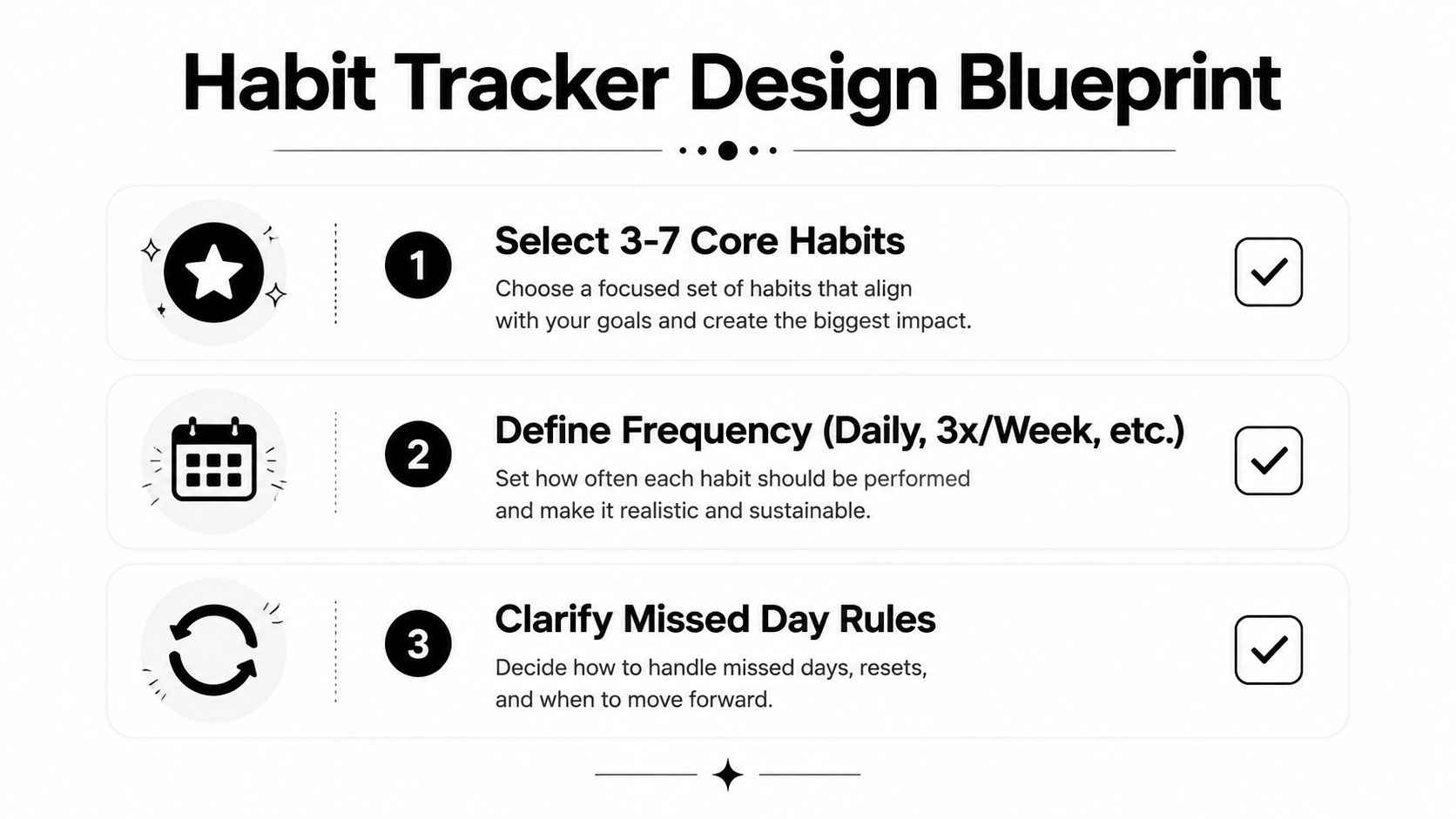
Start by choosing a narrow set of habits. Three to seven core habits is usually enough to create a signal you can trust, because too many habits make the page noisy and harder to maintain. If one habit matters more to your identity, give it top placement in your daily view so it's impossible to miss when you open Notion.
Split your habits into input behaviors and output behaviors. An input behavior is the action itself, like a 10-minute walk or a journal entry. An output behavior is the result, like steps over 7,000 or a monthly reading total, and that distinction matters because the tracker needs different formulas and review views for each one.
Think through the rhythm before you build. A daily check-off view, a weekly summary, and a monthly trend view all serve different mental moments, so they shouldn't all look the same. If a habit only applies on weekdays, or if two habits need to happen together, write that down now so your database reflects reality instead of an idealized schedule.
Practical rule: if you can't describe the missed-day rule in one sentence, the tracker probably isn't ready to build yet.
If you want a useful prompt for the identity side of the build, the phrase in this page from IdentityKit's habit and identity notes is a good reminder that the tracker should support the kind of person you're trying to become, not just the tasks you want to finish.
Building the Two-Database Foundation
Open a new full-width page in Notion and create two linked databases, not one giant table. The first database is Habits, and it holds the definitions, one row per habit. The second is Habit Log, and it holds the daily check-ins, one row per day per habit.
In Habits, create these properties: Name as the title, Frequency as a select, Category as a select, Start Date as a date, Target Streak as a number, and Active as a checkbox. In Habit Log, add Date as a date, Habit as a relation back to Habits, Completed as a checkbox, Notes as text, and Day of Week as a formula that reads the date.
That linked setup matters. If you rename a habit in the Habits database, every related log entry stays connected automatically. A copy-paste tracker breaks that connection and makes reporting messy later, which is why the relation is the skeleton of the whole build. This is the same kind of structure used in deeper Notion habit systems that rely on relations and rollups to turn daily rows into summary data, as in Red Gregory's habit tracker rollup guide.
Keep the property names simple and literal. Formula work gets painful when you rename fields casually and forget what the formula is pointing at.
A useful habit here is to name properties the way you'd say them out loud. “Completed,” “Date,” and “Habit” are easier to maintain than clever labels that look nice once and confuse you forever. Once the two databases exist, the tracker can start doing math instead of just storing checkmarks.
Adding Formulas That Turn Checkboxes Into Insight
Raw checkboxes tell you what happened today. Formulas tell you whether the tracker is helping you change. Start with the simplest useful logic, then layer on the summary numbers you'll review.
In Habit Log, a current streak formula can begin with a basic completion check, like if(prop("Completed"), 1, 0), on the most recent entry. That alone doesn't make the streak smart, but it gives you a clean foundation for streak logic. In the Habits database, you can then roll up related log rows and turn them into a Longest Streak field by grouping the entries through the relation.
A 7-Day Rate is the number you'll probably use most during weekly review. Divide this week's completions by this week's possible check-ins, and format the result as a percentage so it reads at a glance. A Consistency Score can be a longer moving average, which is useful because it rewards showing up during rough weeks instead of only celebrating perfect streaks.
The reason to keep each formula small is maintenance. If one formula tries to do streaks, rates, filters, and labels all at once, you won't want to edit it later when a habit changes. One formula should answer one question, like “Did I do it today?” or “How often am I showing up this week?”
A useful benchmark from habit research is that new behaviors took a median of 66 days to become automatic, with a range from 18 to 254 days depending on the habit and how consistently it was repeated. That's why a tracker built around only streaks can mislead you, while one that also shows a 30-day completion rate and a 66-day milestone fits the way habit formation works.
Setting Up Views for Daily, Weekly, and Trend Reviews
The same database can support three different moments, but each view should do one job. Your Today view should reduce friction. Your weekly view should reveal patterns. Your trend view should keep long-term consistency visible so you don't forget the habits that are working.
Start with the daily check-in view. Use a filtered table on Habit Log that shows only today's rows, or a template that creates a fresh daily page with the right habits already in place. That way, when you sit down in the morning or later, you're not hunting through old records. You're just checking boxes.
Your weekly review works better as a grouped table on the Habits database, sorted by completion totals or by the 7-Day Rate formula. That layout makes weak spots easier to spot, especially if one habit looks fine in isolation but keeps getting skipped on the same weekday. The trend view can be a gallery or compact table that shows the longest-running habits first, which keeps motivation tied to visible progress instead of memory.
Use the video and the screenshot as different kinds of reference. The screenshot helps you shape the page, and the video helps you think about how the tracker fits into a larger daily dashboard.
A view works when it matches the moment you open Notion, not when it impresses you in a template preview.
Wiring Reminders and Automation Into Your Tracker
Reminder timing matters more than people expect. Research on implementation intentions found an overall reminder effect with an odds ratio of 7.52 for achieving a daily behavioral goal, which is a strong argument for using reminders as part of the system instead of trusting memory alone. In a Notion tracker, that means pairing your check-in page with a date reminder and a fixed review window.
Use Notion's native reminder toggle on date properties for lightweight nudges. Then keep the check-in interface simple, one page per day, one tap per habit, and a short note field if you need context. That structure reduces friction and makes the daily action feel predictable.
Database automations can help when a habit slips. You can set a rule that marks a streak reset, creates a follow-up page, or nudges a recovery review when a habit falls off track. The point isn't to nag yourself, it's to make recovery visible quickly so the system doesn't disappear after one missed day.
| Method | Setup Effort | Best For |
|---|---|---|
| Notion date reminders | Low | Basic daily nudges |
| Database automations | Medium | Recovery and follow-up workflows |
| Manual check-in pages | Low to medium | Flexible trackers with light structure |
| iPhone-native habit apps | Low after install | People who want reminders and streaks without maintaining formulas |
If you want a more hands-off habit loop on iPhone, IdentityKit's goal app guide is one example of a tool that keeps reminders and streak feedback outside the Notion workspace. For users who don't want to maintain formulas at all, that kind of setup can be easier to live with than a database they have to babysit.
Handling Variable Schedules and Sub-Habits
The clean daily checkbox breaks down fast when real routines get messy. A three-times-a-week workout, a weekday-only reading habit, and a weekend long run all need different logic, and Notion can handle that if you plan for it up front.
One workaround is to keep a Frequency select property in Habits and filter your log views accordingly. That works well if you want simple rules like Daily, Weekday, or 3x/Week. Another option is to store allowed days directly in the Habits database with a multi-select for weekdays, which gives you more control when a routine changes depending on the calendar.
Sub-habits need a relation of their own. A parent habit, like “Morning Routine,” can link to child rows such as hydration, stretching, and meditation. Then a rollup or count formula can total those child completions so the parent reflects real progress instead of just sitting there as a label.
This is the part of the build where many templates stop being useful. Most tutorials assume every habit has the same cadence and the same level of detail, but community questions keep surfacing around different-day rules, nested habits, and flexible scheduling. That gap matters because a tracker that ignores variation ends up feeling like homework.
If your routine changes by season or by day type, build for that from the start. A tracker that adapts to irregular schedules is often easier to keep than one with prettier streak graphics but no way to express how you live.
The Maintenance Loop That Keeps It Working
The tracker survives on maintenance, not on the original build. Set a Sunday ten-minute review and treat it like part of the system, not a bonus if you feel motivated. Open the trend view, check which habits are lagging, and decide whether they still belong in the current set.
A good rule is to drop any habit that's under your target level of weekly completion and only add one new habit after the current group is stable. Adding more habits to a broken tracker usually creates noise, not progress. Deleting a habit isn't failure, it's how you keep the system honest.
Once a month, do a deeper cleanup. Audit property names, prune stale filters, and refresh template prompts so the page still matches what you care about this month. If a habit is no longer relevant, move it into a separate graveyard view instead of deleting the rows, so the completion history stays visible for retrospection and pattern spotting.
For a compact reminder you can use, keep this checklist near your desk or paste it into a Notion callout:
- Review the trend view: Check whether the habits still match your current goals.
- Protect the core set: Keep the tracker small enough that daily entry still feels easy.
- Archive, don't erase: Move stale habits into a graveyard view so history stays intact.
- Refresh the prompts: Update filters and templates when your schedule changes.
- Add slowly: Only introduce a new habit after the existing system feels steady.
If you want a reference point for keeping habit systems visible over time, IdentityKit's habit tracker tag page shows how a streak-focused app frames progress with day-by-day history, reminders, and review views. The larger lesson is simple, a tracker isn't done when it looks good, it's done when you still want to open it next month.
IdentityKit is an iPhone habit tracker with user-scheduled reminders, streak tracking, and optional Apple Health integration, so it fits people who want a simple check-in loop on the phone instead of maintaining a Notion database. If you're choosing between a hand-built tracker and a more direct habit app, visit IdentityKit and see whether a local-first iPhone setup matches the way you want to track habits.